
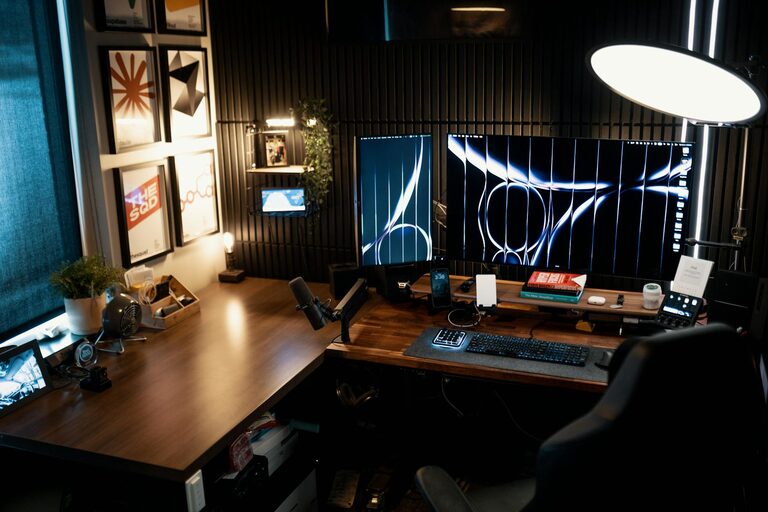
Creating a cozy and functional home workspace can make a world of difference in your daily productivity and overall well-being. Whether you work remotely, study, or pursue hobbies, a well-designed area helps you focus while feeling comfortable. Here are practical tips to help you build a workspace that suits your needs and style.
Choose the Right Location
Finding the best spot in your home is the first step toward an inviting workspace.
– Natural Light: Aim for a place near a window to benefit from natural daylight. It boosts mood and reduces eye strain.
– Low Noise: Pick an area away from distractions such as TV rooms or kitchens.
– Adequate Space: Ensure there’s enough room for your desk, chair, and storage. Avoid cramped corners where movement feels restricted.
Invest in Comfortable Furniture
Good furniture supports your body and helps maintain focus for longer periods.
– Ergonomic Chair: Choose a chair with adjustable height, lumbar support, and comfortable padding.
– Functional Desk: Your desk should provide enough surface area for your computer, paperwork, and accessories. Consider desks with built-in storage.
– Footrest: If your feet don’t rest flat on the floor, a footrest can improve posture.
Organize for Efficiency
Clutter disrupts work and creativity, so keep your area tidy and items easy to find.
– Storage Solutions: Use shelves, drawers, or bins to store supplies and documents.
– Cable Management: Tidy cables with clips or sleeves to prevent tangling.
– Desk Layout: Keep frequently used items within arm’s reach, and less-used tools stored away.
Personalize Your Space
Adding personal touches makes your workspace feel inviting and motivates you.
– Plants: A small potted plant or succulent adds life and helps air quality.
– Decor: Choose art, photos, or objects that inspire you without causing distractions.
– Lighting: Combine overhead lighting with a desk lamp for adjustable brightness.
Minimize Digital Distractions
Create a focused environment by managing notifications and keeping your digital workspace organized.
– Notification Settings: Turn off non-essential alerts during work hours.
– Desktop Clean-up: Keep your computer desktop and browser tabs clean and organized.
– Use Headphones: Play soft instrumental music or white noise if it helps concentration.
Maintain Good Air Quality and Temperature
Comfort in your workspace is affected by fresh air and a pleasant temperature.
– Ventilation: Open windows regularly or use an air purifier.
– Temperature Control: Dress in layers or keep a small fan or heater nearby for personal comfort.
Incorporate Break Spaces
Even a small area for quick relaxation can refresh your mind during work sessions.
– Comfortable Chair: A cozy spot nearby to sit or stretch during breaks.
– Hydration Station: Keep water or tea close to stay hydrated.
Set Boundaries and Routine
Separating work time from personal time helps maintain balance and reduces stress.
– Defined Work Hours: Stick to regular schedules to create consistency.
– Workspace Limits: Use the workspace only for work to strengthen mental boundaries.
Final Thoughts
A cozy and functional home workspace is key to a pleasant and productive day. By choosing the right location, investing in good furniture, staying organized, and personalizing your area, you create an environment that encourages focus and comfort. Small changes can make a big difference, so start with one or two tips and build your ideal space step by step.
